Here’s something most pages covering Faisal Town Phase 2’s NOC status won’t tell you: you don’t have to take anyone’s word for it anymore. The Punjab government now runs a live, searchable portal that shows the real-time NOC status of housing societies across the province, including Faisal Town Phase 2 no sales pitch, no guesswork, no outdated PDF list. Instead of asking you to trust this page or any other, we’re showing you exactly how to check it yourself, what the current result actually says, and how to read it correctly. You can run the same search right now at ahs.punjab.gov.pk the official Punjab Housing Societies verification portal and see the answer for yourself in under a minute.
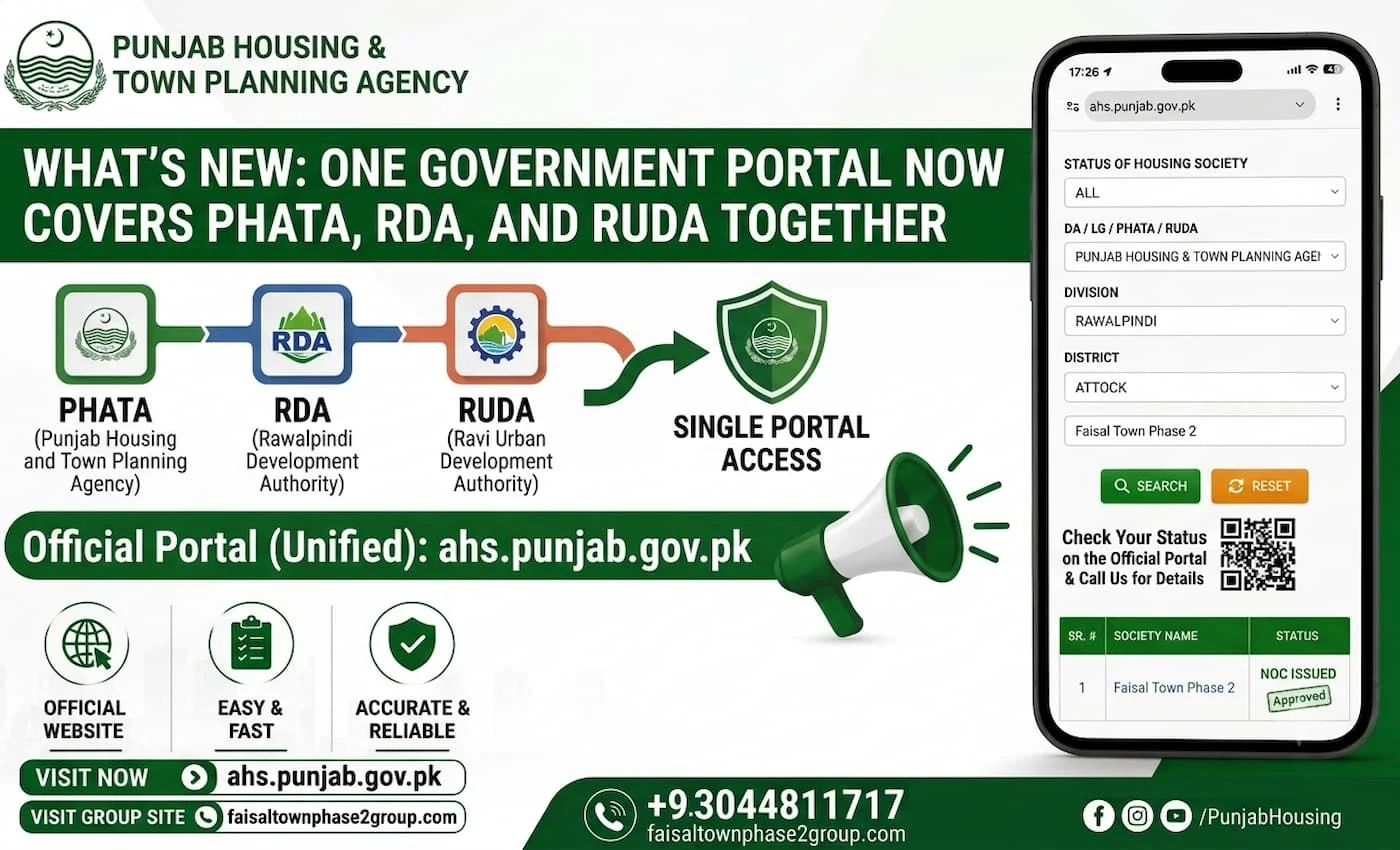
What’s New: One Government Portal Now Covers PHATA, RDA, and RUDA Together
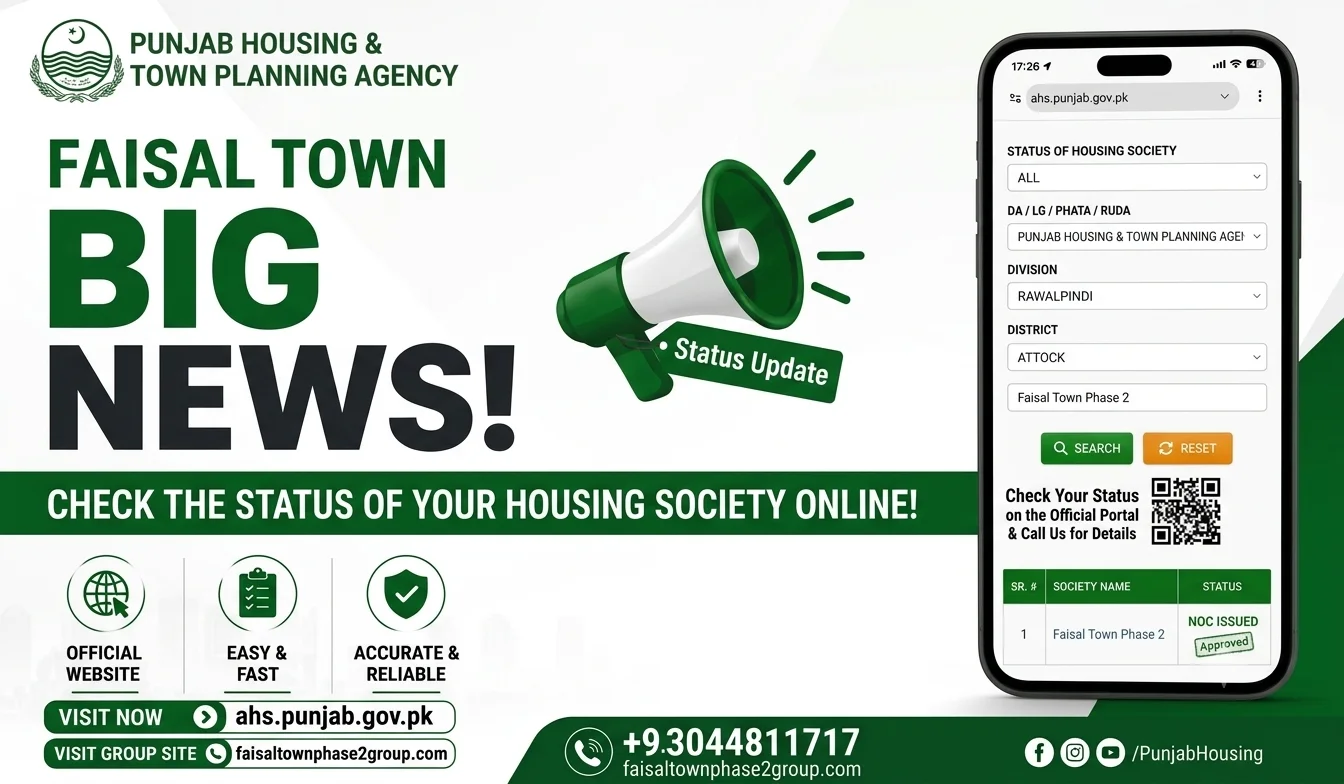
The Punjab government’s housing society verification tool, hosted at ahs.punjab.gov.pk, lets you check a society’s status under three different authorities from one search screen PHATA (Punjab Housing and Town Planning Agency), RDA (Rawalpindi Development Authority), and RUDA (Ravi Urban Development Authority). Instead of needing to know in advance which authority oversees a particular project, you can search by selecting the relevant authority, division, and district, then enter the society’s name directly.
This matters because housing societies in Punjab don’t all fall under the same regulator location determines which authority actually applies, and this portal is built to reflect that rather than forcing every search through one fixed list. For a project like Faisal Town Phase 2, based in Rawalpindi, this means you can check its status specifically under RDA, the authority that actually governs that area, rather than relying on a general approved-societies list that may not be current.
Why This Is a Better Way to Verify Than a Static List
A static PDF or list of “approved housing societies” goes stale the moment a project’s status changes, and there’s no way to know when that list was last updated unless the page tells you. A live portal search works differently you’re pulling the current record directly, at the moment you search, rather than trusting a document that might be months old.
This also removes a layer of risk that comes with screenshots and downloaded lists circulating online, since those can be edited, outdated, or in rare cases fabricated entirely. Searching the portal yourself means you’re seeing exactly what the government’s own system currently shows, with no version control problem and no need to trust whoever compiled the list you found elsewhere. For a decision involving real money, that distinction is worth the extra two minutes it takes to search directly.
Faisal Town Phase 2’s Jurisdiction RDA, Based on Location
Faisal Town Phase 2 sits in Rawalpindi, which places it under the jurisdiction of the Rawalpindi Development Authority, not PHATA or RUDA. An earlier search of this same portal selected PHATA as the authority, which returned a result, but that wasn’t the authority that actually applies here based on location.
To check Faisal Town Phase 2’s status correctly, the search should be run again with RDA selected specifically, since that’s the regulator with jurisdiction over Rawalpindi-based housing societies. This distinction matters because selecting the wrong authority in the dropdown can return a result that looks official but isn’t necessarily reflecting the correct regulatory record for that project.

Step-by-Step: How to Search the Portal Yourself
Checking Faisal Town Phase 2’s status, or any other Punjab housing society, takes a few simple steps once you know where to look. The whole process happens directly on the government’s own site, with no account, login, or paperwork required. Below is the exact sequence to follow, from opening the portal to reading what the result actually means.
Go to ahs.punjab.gov.pk
Open ahs.punjab.gov.pk in any browser. This is the Punjab government’s official housing society verification portal, and it works the same way on a phone or a computer.
Select the Authority RDA, PHATA, or RUDA
Use the dropdown menu to choose the authority that matches the project’s location. For Faisal Town Phase 2, that’s RDA, since the project is based in Rawalpindi. Selecting the wrong authority here is the most common mistake, since it can return a result that looks complete but isn’t actually checking the right jurisdiction.
Choose Division and District
Select the division and district that match the housing society’s location Rawalpindi for both, in the case of Faisal Town Phase 2. These fields narrow the search to the correct regional office, so the result reflects the right local record rather than a different area entirely.
Search “Faisal Town Phase 2” and Read the Result
Type the society’s name into the search field and run the search. The result will show the society’s current status as recorded by that authority something like “Approved,” “Under Process,” or another status label. Read this exactly as written rather than assuming what it means, since the next section covers what each of these labels actually indicates.
Current Search Result “Under Process”
A search for Faisal Town Phase 2 on the Punjab government’s verification portal currently returns a status of “Under Process.” This means the project’s NOC application is in the system and is being reviewed, but final approval hasn’t been granted yet. It’s worth running this search yourself rather than taking this page’s word for it status can change, and the whole point of using a live portal instead of a static list is that you’re checking the current record at the time you search, not whatever it happened to show on the day this page was written. If you search and see a different result, trust what the portal shows you over what’s written here.
What “Under Process” Means in Practice
“Under Process” means the regulatory authority RDA, in Faisal Town Phase 2’s case has received an NOC application and is actively reviewing it, but hasn’t issued a final decision either way. It’s a different status from “Approved,” and it’s also different from “Rejected” or “Not Submitted,” so it shouldn’t be read as either good news or bad news on its own.
In practical terms, this means the project can continue selling plots and developing land while the review is ongoing, but buyers don’t yet have the legal protections that come with a finalized NOC things like easier utility connections and stronger standing if a dispute comes up later. How long a project stays in this status varies widely; some move through review in months, others take years, and a few stall indefinitely. If you’re deciding whether to buy while a project shows this status, the honest answer is that there’s no fixed timeline you can rely on, and that uncertainty is something to weigh against any pricing advantage of buying before final approval.
A Word of Caution Beware of Fake Screenshots
RDA’s own website carries a direct warning about this: never rely on screenshots of approval status circulated on social media or shared by agents, and always check the portal in real time instead. Screenshots can be edited, taken out of context, or simply outdated by the time someone shares them, and there’s no way to verify a screenshot’s authenticity the way you can verify a live search result. This applies to every screenshot in this article too including the one referenced earlier on this page.
The only way to know a project’s current status with confidence is to run the search yourself, at the moment you’re making a decision, rather than trusting any image someone else has sent you. If an agent or seller shows you a screenshot as proof of approval, treat that as a starting point for your own verification, not as confirmation on its own.
How to Check Any Other Housing Society This Way
This same portal works for any housing society in Punjab, not just Faisal Town Phase 2. If you’re comparing several projects before deciding where to invest, running each one through the same search gives you a consistent way to check status across the board, rather than relying on each developer’s own marketing claims.
The process stays the same regardless of which society you’re checking: select the authority that matches its location, choose the correct division and district, then search the society’s name. Since different societies can fall under different authorities depending on where they’re located, it’s worth confirming jurisdiction first if you’re not sure searching under the wrong authority is the most common reason people get an incomplete or misleading result.